Briefs and Shot Lists
UGC briefs and shot lists
Build a UGC brief and shot list around the buyer question, verified product facts, essential footage and room for the creator’s own approach.
A useful UGC brief tells a creator what the video must help a buyer understand, which product facts are verified and what must appear on screen. The shot list turns those requirements into filmable moments. Leave the creator room to choose words and camera approach, then agree how the work will be reviewed.
Here, UGC means content commissioned from a creator. Paid work should not be presented as an independent customer contribution.
Start with one job for each asset
Write the buyer question before writing a scene. “Will this fit in a narrow cupboard?” is a clearer assignment than “make an authentic video about storage”. Name the exact product variant and intended placement. Then decide what a viewer would need to see to answer the question.
If the commission includes several videos, give each a distinct job. One might show size in a room; another might show how a latch works. A single brief can cover shared product facts and delivery requirements. Each asset still gets its own question and shot list.
Key Steps to Create an Effective UGC Brief and Shot List
- Start with a clear buyer questionDefine what the viewer needs to understand, e.g., 'Will this fit in a narrow cupboard?'
- Identify the exact product variantSpecify model, size, colour and current instructions; avoid ambiguous descriptions.
- Assign one distinct job per assetEach video should answer a single question—e.g., size in a room vs. how a latch works.
- Build shot list around visible evidenceEnsure every shot shows proof of claims—e.g., full view of item, working mechanism, verified capacity.
- Separate requirements from creative choicesState essential facts (e.g., latch movement) but allow creator freedom in voice and camera angle.
- Review brief before filmingCheck that all claims are backed by verified data, captions are accurate, and contact for discrepancies is clear.
Work from the creative plan
If you are using a script or storyboard, review it scene by scene to identify the shots the asset needs. Check that the list covers the planned action and that every essential shot supports the asset’s buyer question. Resolve gaps in the brief before filming rather than relying on the edit to supply missing footage.
Separate requirements from creative choices
| Layer | Put in the brief | Leave open where possible |
|---|---|---|
| Product facts | Exact variant, current instructions, verified specifications and material limitations | How the creator explains an observation in their own voice |
| Viewer evidence | The action or detail that must be visible | Camera position, setting and transitions that preserve that evidence |
| Delivery | Agreed files, orientation, caption needs, review dates and contact | Additional ideas within the agreed scope |
Mark a requirement as essential when missing it would stop the asset answering its question or make its message inaccurate. A preferred background colour may be useful direction; a visible connector during a setup explanation may be essential. Attach the conditions for any approved claim. Do not assign a creator a personal experience they have not had.
Requirements vs. Creative Choices in UGC Briefs
- Must Be Defined in BriefExact product variant, verified specifications, material limitations, claim conditions, caption requirements
- Can Be Left to Creator’s DiscretionHow the creator explains observations, camera position, setting, transitions, additional ideas within scope
Build the shot list around what viewers can see
For a brief illustration, link a buyer question to visible evidence. Consider a hypothetical desk organiser:
- Show the exact organiser on the desk so viewers can identify its size and shape. The creator may choose the angle, provided the whole item is visible.
- Show a hand opening the compartment without cutting past the latch. Keep the latch and movement in frame.
- Show the chosen items inside before closing the compartment. Verify any stated capacity against the filmed variant.
- Show the closed organiser in the same setting. Avoid implying that unshown items also fit.
For detailed product-shot direction, see the supporting article in this cluster. For a real product, check the shot list against current instructions and specifications. If a comparison or result needs particular conditions, keep them clear in the edit. Voiceover, captions and crops can change the impression even when the original footage was accurate.
Make shots easy to identify
Give each shot a reference number and connect it to the scene or script section it supports. A concise description should say what is being filmed and whether the shot is essential or optional, so the creator can distinguish must-have coverage from alternatives.
Where useful, record the subject or action, framing, camera angle, movement and estimated duration. For example, “close-up”, “eye level” and “pan left” are clearer production notes than an unqualified request to “get a detail shot”. Keep technical directions relevant to the evidence the asset needs to show.
Supply materials and a way to resolve gaps
Give the creator the current product instructions, variant identification, approved facts, claim limits and necessary accessories. Name the person who will answer product questions and combine the brand’s feedback. Ask the creator to flag a conflict between the brief and what the product actually does before filming a workaround.
If a required shot is unsafe, impossible or materially different from the supplied instructions, pause that scene and agree on a replacement. A product change or new message after filming may change the agreed scope. Keep deliverable counts, usage permissions, fees and reshoot terms in the production agreement so the creative brief stays easy to film from.
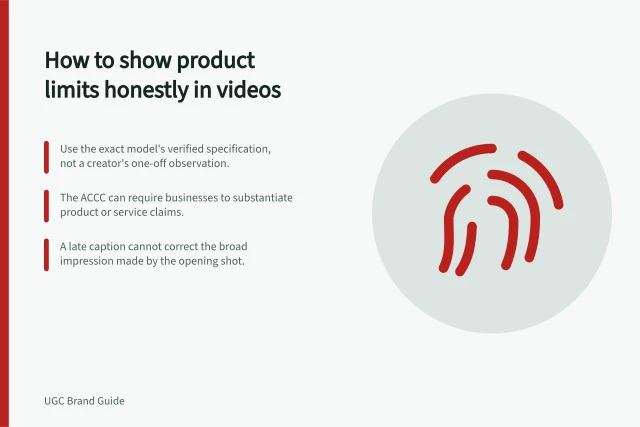
Treat support for product statements as a hand-off item: identify which approved facts can be used and make their basis available to the creator. The ACCC says it can require businesses to back up claims about products or services, including claims made on social media, and may investigate and take compliance or enforcement action over false or misleading claims. It does not resolve individual disputes or provide legal advice.
ACCC Guidelines on UGC Claims and Compliance
- Claim Verification RequiredYes – businesses must be able to back up claims made on social media
- Enforcement AuthorityACCC can investigate and take action against false or misleading claims
- No Legal Advice ProvidedACCC does not resolve individual disputes or offer legal guidance
- Caption RequirementCaptions must match speech and non-speech audio accurately and synchronously
Review the brief before filming
Read it as someone who has never handled the item. Can they identify the exact variant, buyer question and required action? Are measurements and performance statements verified, conditional or awaiting approval? Is there room for the creator to describe their real experience without being assigned a reaction?
Review the planned shots with the likely edit in mind. Keep a material qualification beside the claim it limits. Where speech or meaningful audio is needed to understand the video, plan accurate captions that convey it without covering the product. Review the final speech, images and captions together.
A concise hand-off can be one page plus product facts and reference files. For each asset, record the buyer question, filmed variant, essential shots, approved claim limits, delivery requirements and contact for discrepancies. The creator should be able to tell what they are making, what viewers must see and whom to ask when reality differs from the brief.
Make the caption instruction specific. Captions are text versions of speech and the non-speech audio needed to understand the content, synchronised with the audio. Say whether captions should always appear on screen or be available for viewers to switch on, and check them against the recorded audio during review.
Before sending the brief, check that its product variant matches the reference files, remove superseded directions and note any open questions with the person responsible for resolving them. Send the creator one consolidated, current pack.
Pre-Filming Review Checklist for UGC Creators
- Is the correct product variant clearly identified?Yes / No
- Are all measurements and performance claims verified?Yes / No
- Are essential shots marked as must-have?Yes / No
- Is there room for the creator’s authentic experience?Yes / No
- Are captions planned and synced with audio?Yes / No
In this guide
- Turning customer objections into a UGC briefTranslate a real customer concern into a neutral buyer question, a filmable UGC task and a claim the footage can support.
- Specifying product shots without overdirecting the creatorDescribe the product evidence each shot must show while leaving the creator room to choose effective framing, setting and delivery.
- Briefing a creator on claims they must not makePrepare a practical claim-boundary sheet for UGC creators, covering unsupported promises, conditional facts, genuine experience and final-cut review.